
With one prompt and one vector file, we got four fully configured material variants: stainless steel, painted acrylic, Alu-Dibond and backlit LED. The agent uploads the artwork, works through the Web2Cut configurator once per material, collects everything in a single cart and delivers a comparison table with material specifications, total price including VAT and shipping, shipping status and estimated delivery date.
The whole process took around 16 minutes — and the result enables our resellers to give their customers precise product quotes while automating hours of manual work.
| Variant | Material specification | Dimensions / Mounting | Price incl. VAT | Shipping | Total incl. shipping | Est. delivery | Configuration |
|---|---|---|---|---|---|---|---|
| Stainless steel | Stainless steel natural, individual elements, brushed, 2 mm | 125.9 × 150 cm; spacer A, click system | €1,433.00 | Freight shipping · €198.50* | €1,631.50* | 04 Sep 2026 | |
| Painted acrylic | Front and sides painted, 8 mm, satin matt; CADOUT colour match RAL 5008 and RAL 9011 | 125.9 × 150 cm; spacer A, click system | €1,360.00 | Standard shipping · €10.10 | €1,370.10 | 25 Sep 2026 | |
| Alu-Dibond | Aluminium composite, coloured surface, satin gloss, 3 mm; RAL 7016 anthracite grey | 125.9 × 150 cm; spacer A, click system | €629.50 | Standard shipping · €8.50 | €638.00 | 04 Sep 2026 | |
| Backlit LED | LED halo-lit (Rückleuchter); painted solid acrylic body, 20 mm; RAL 5008/9011; light colour 5000 K | 125.9 × 150 cm; spacer A, click system | €3,591.00 | Standard shipping · €11.80 | €3,602.80 | 14 Sep 2026 |
* Freight shipping
The scenario we simulated will be familiar to many of our resellers: a customer has a logo and knows where they want it installed, but not yet what material it should be made from.
We assumed that the size is roughly settled, but that the customer is open to suggestions and wants to see the finished product in more than one variant before deciding.
The tools you need
- ChatGPT Work, Modell 5.6 Sol, High effort
- Claude Desktop extension also works
- A design vector file
Both tools open a real browser tab where you can watch the agent work and take over at any time if needed.
The prompt
Visit cadout.de and use the configurator to create a quote for this logo. It should be roughly 100 × 150 cm, mounted with spacers and delivered to Berlin. Compare stainless steel, painted acrylic, Alu-Dibond and backlit LED. Record the material specifications, the total price (incl. VAT and shipping), the shipping status and the estimated delivery date. Do not place an order. Create 4 order-ready configuration links — one for each variant. Compile everything into a table.
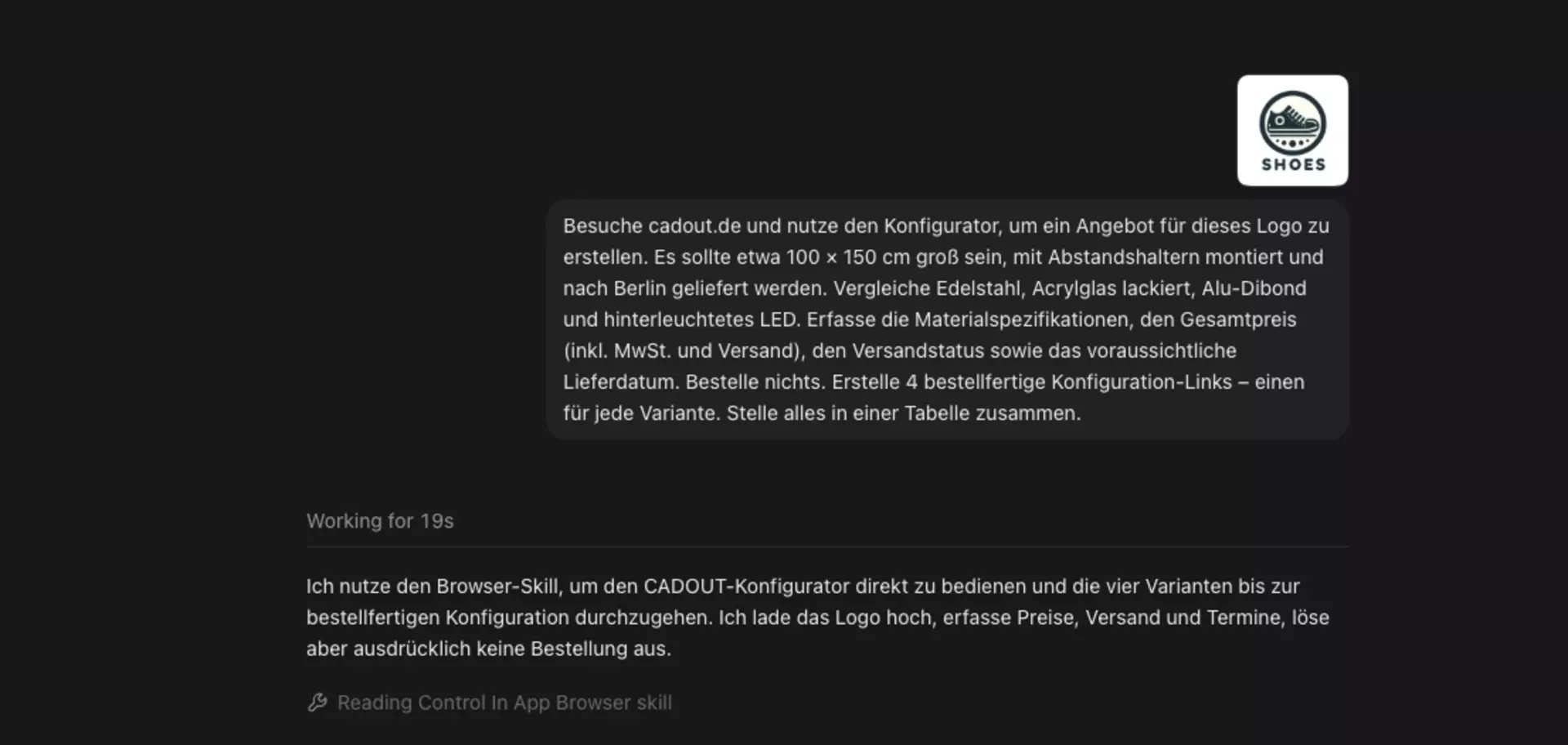
You can play with variables
Every detail in this prompt is a variable you can change. Size, mounting, delivery location and the materials to be compared — swap in whatever you need and you get personalised results.
You can also go further than we did. Ask for a wall background colour and you get a much more detailed visualisation for your customer. Ask for different mounting types on the same material and you can show how spacers change the effect compared with a flush-mounted installation. Ask for one material in three sizes and show your customer what the jump from 100 to 150 cm does to the price.
You can have the agent carry out every step you would otherwise do manually when putting a quote together.
Step by step: how the agent worked with our prompt
1. The prompt goes in with the vector file attached.
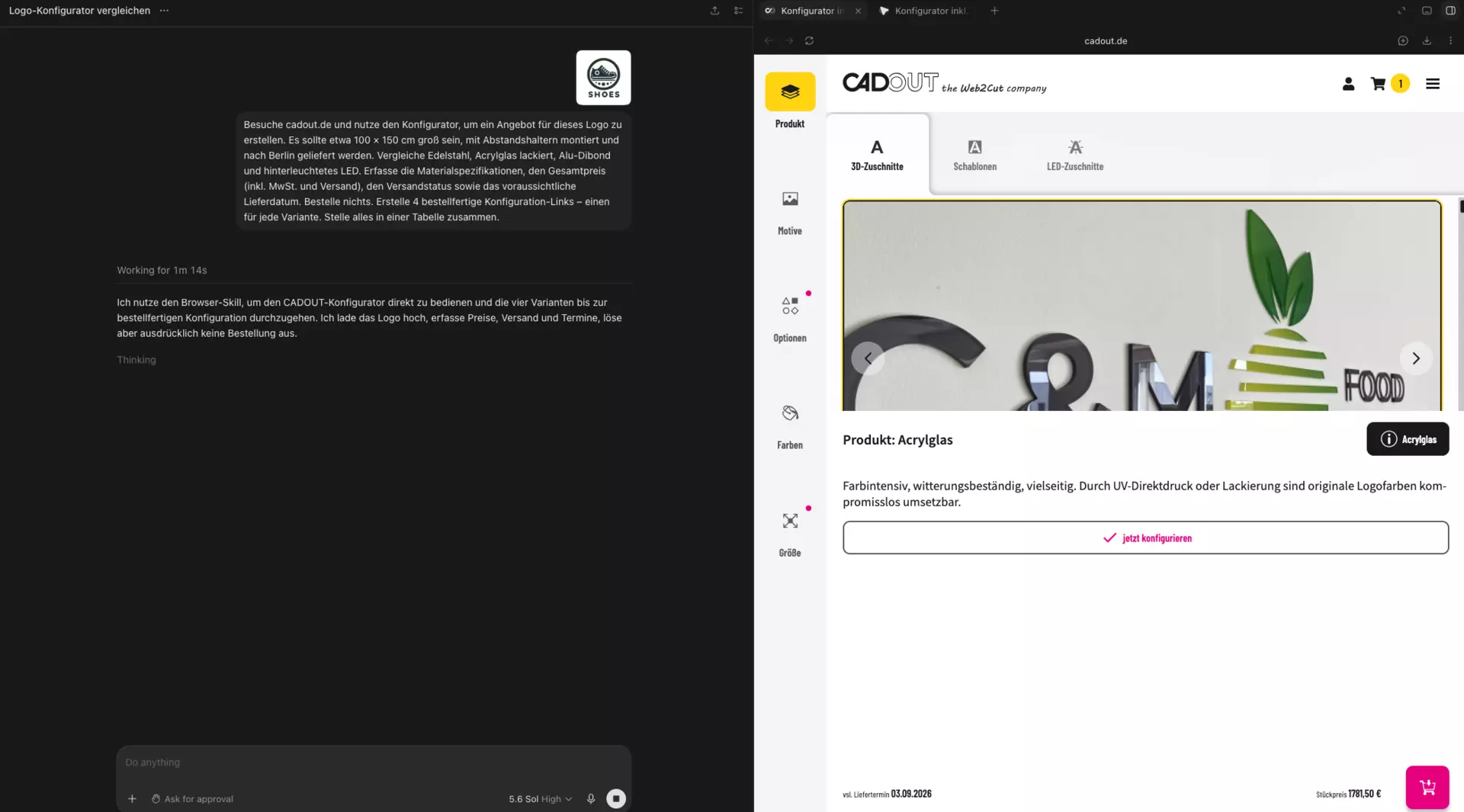
2. The agent starts with the first variant — acrylic glass— and begins configuring.
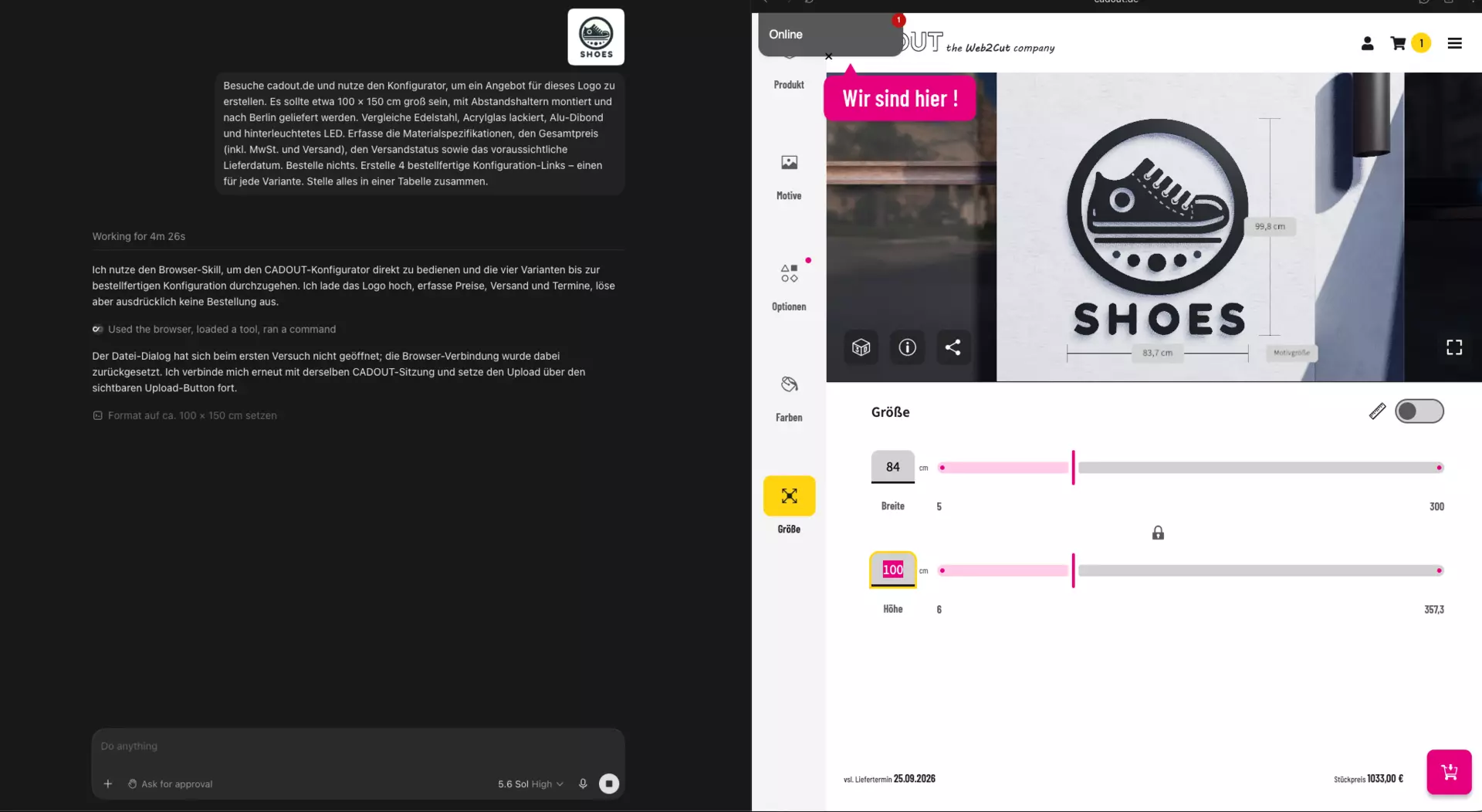
3. It uploads the logo using the upload button in the Web2Cut configurator.
4. It scales the artwork in the configurator to the aspect ratio of the uploaded file.
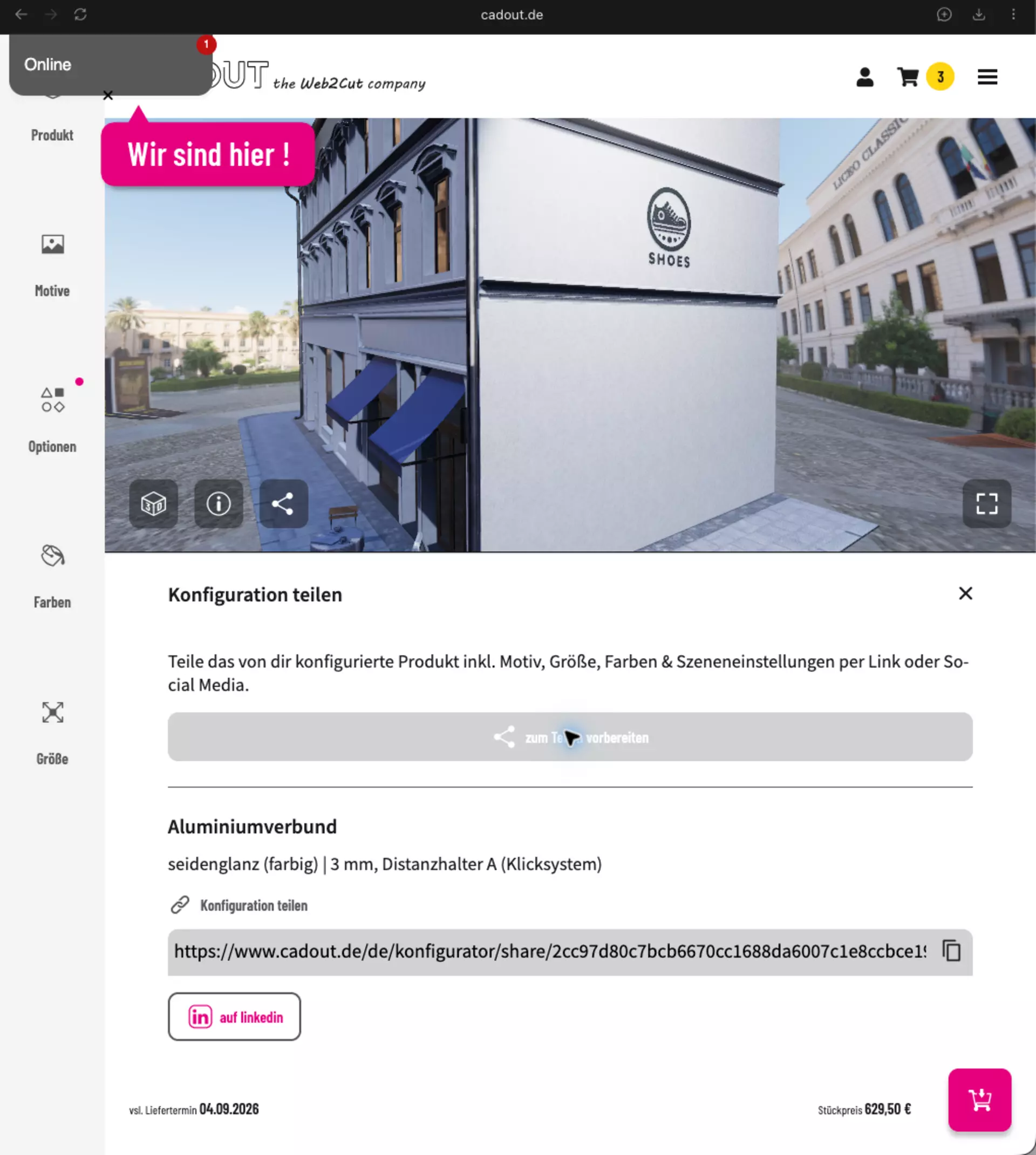
5. It adds the first item to the cart and generates a share link to the configuration.

6. It moves on to the next material — Alu-Dibond.
7. The steps repeat until all four materials are configured.
8. All items sit in the combined cart, with a configuration link for each product. You can edit the cart once your customer has made their choice.
9. It creates the comparison table you saw at the start of this post.
The result
The combined cart contains exactly the four variants requested:
- Goods value: €7,013.50
- Shipping: €42.20
- Total incl. 19% VAT: €7,055.70
The cart itself stays tied to the browser session the agent worked in — carts cannot be shared. Once your customer has settled on a variant, you remove the others from the cart and order what is left.
Where the process can be improved
We did not manage to get the agent to create four separate cart links — one per variant.
Instead it produced one combined cart with all the variants, plus separate links to each individual configuration.
That is valuable enough for us, because it still takes a lot of manual work off our hands. Once your customer approves a configuration, it can simply be added to the cart manually — or you remove the others from the combined cart.
Can you trust the AI result?
The agent works in a real browser tab, so you see every step as it happens. A separate review pass is not needed.
Once the agent has finished configuring, you simply take over and continue the ordering process with the products you want: delivery address, payment method, order. This happens directly in the Web2Cut configurator — so there is nothing to worry about in terms of hallucinations.
And as always: if something about a configuration cannot be produced as specified, someone from our team gets in touch with you before the configuration goes into production.
For resellers: from our price to your quote
Our prices are fair and deterministic. They do not change between quote and order — so the figures the agent pulls are the figures you can build on.
Add your margin, plus installation or any other services you want to bundle in, and you have a quote for your customer.
Prompt variations to try
- The same logo in three different sizes
- Illuminated signage as a variant
- One material for several delivery locations
- Several projects in a single run
cadout reseller benefits
Letting an LLM work through the Web2Cut configurator for you turns a multi-step quoting process into a single conversation — but the effect grows once you register as an official cadout reseller.
Your partner discount is applied automatically on every order, so you save even more. The 3D previews from the configurator can also be exported without cadout branding, so the renderings you hand your customers look entirely like your own.
Free samples let you check the quality before you put your name behind a quote. And if a configuration step slows you down, our team walks you through it directly by phone or chat.
Registration takes only a few minutes: create a profile, send your commercial register extract or trade licence to info@cadout.de, and once you are approved, your discount applies automatically to every order that follows.